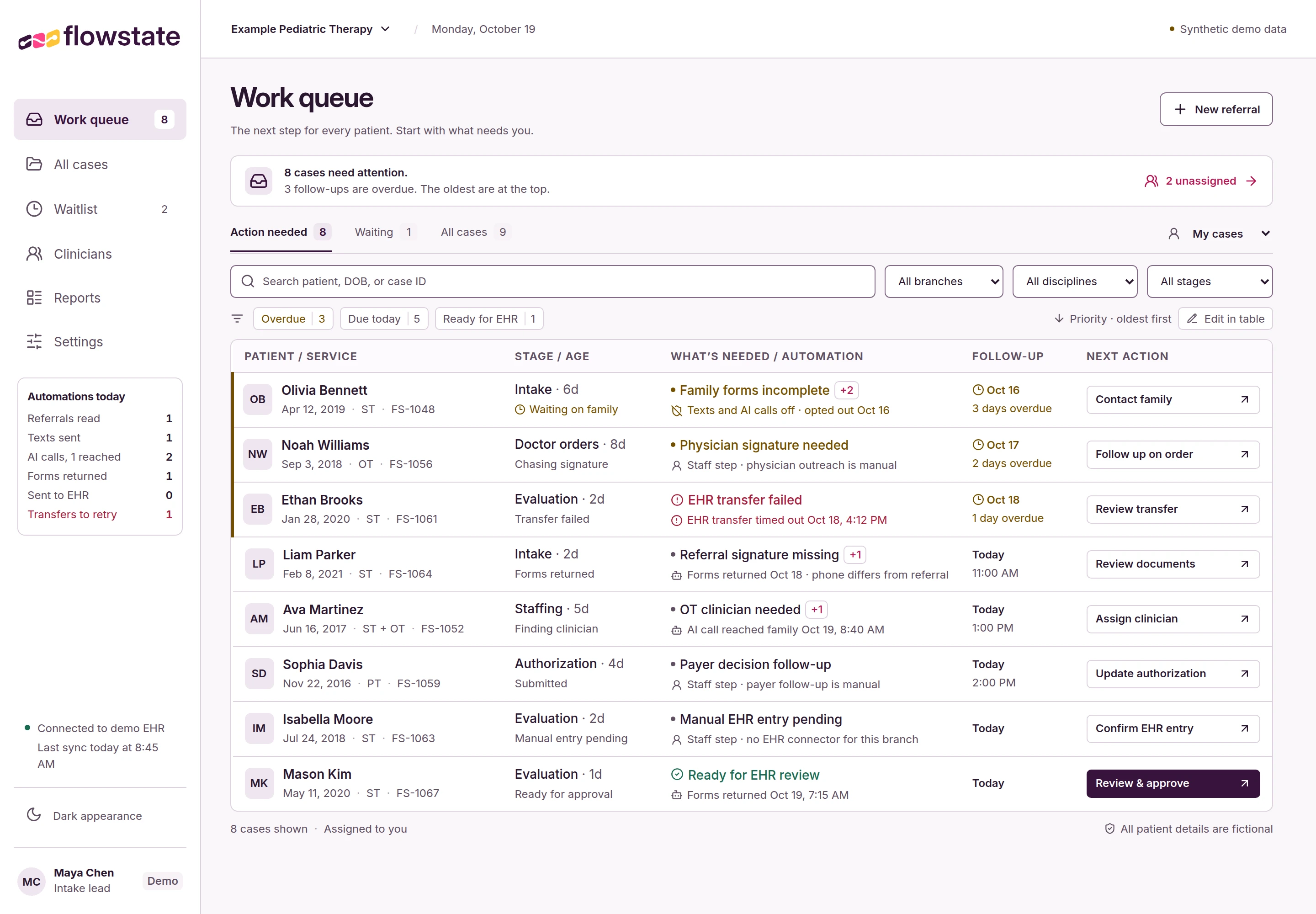
01 / Know what needs you
A next action. A clear owner.
The work queue puts overdue follow-ups first. Open a case to see the staff action, coordinator, and follow-up date.
 View full workspace

Pediatric therapy intake
Send family forms, automate routine follow-up, and give your intake team a clear next action for every referral.
From referral to first visit, with staff review at each handoff.
 View full workspace
The intake workspace
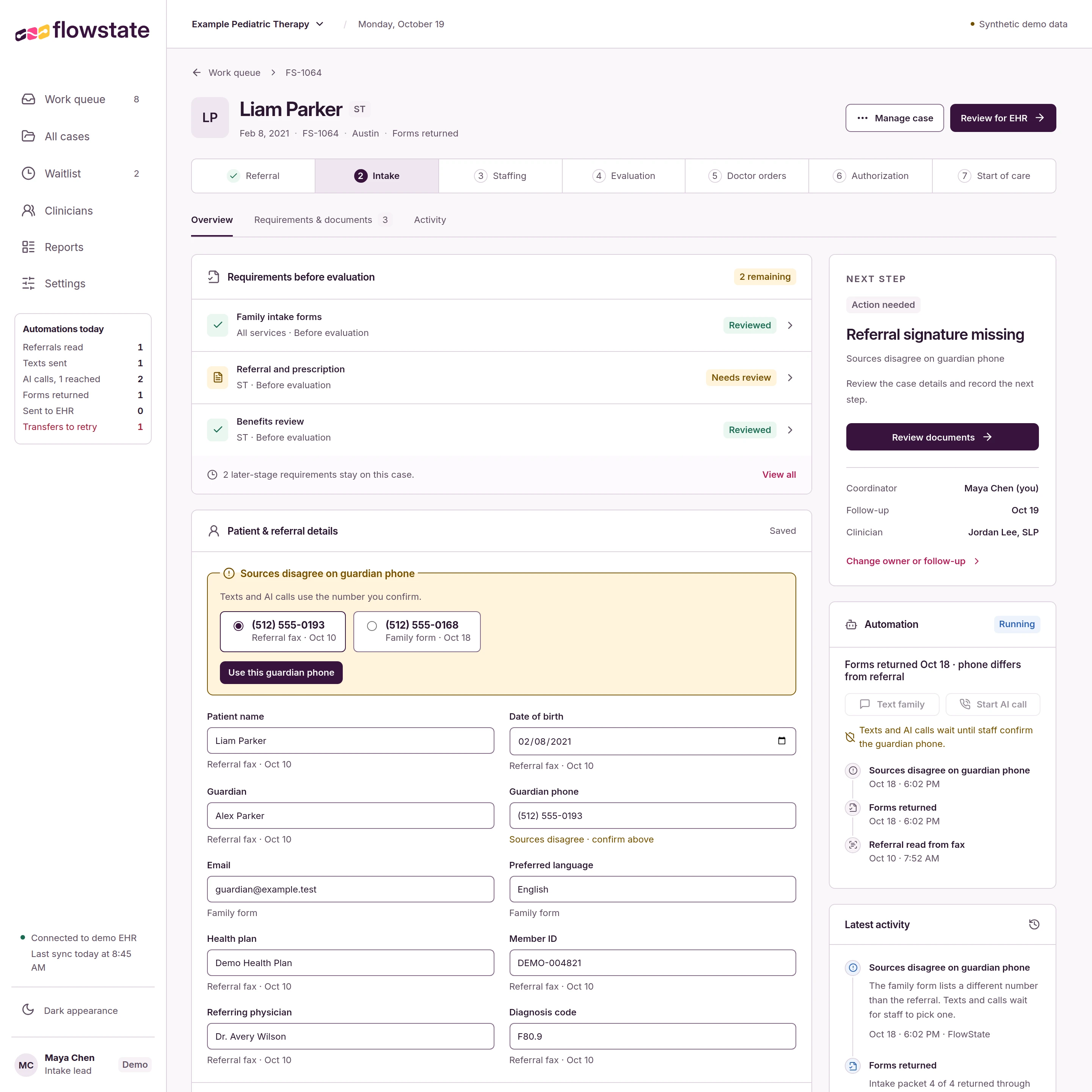
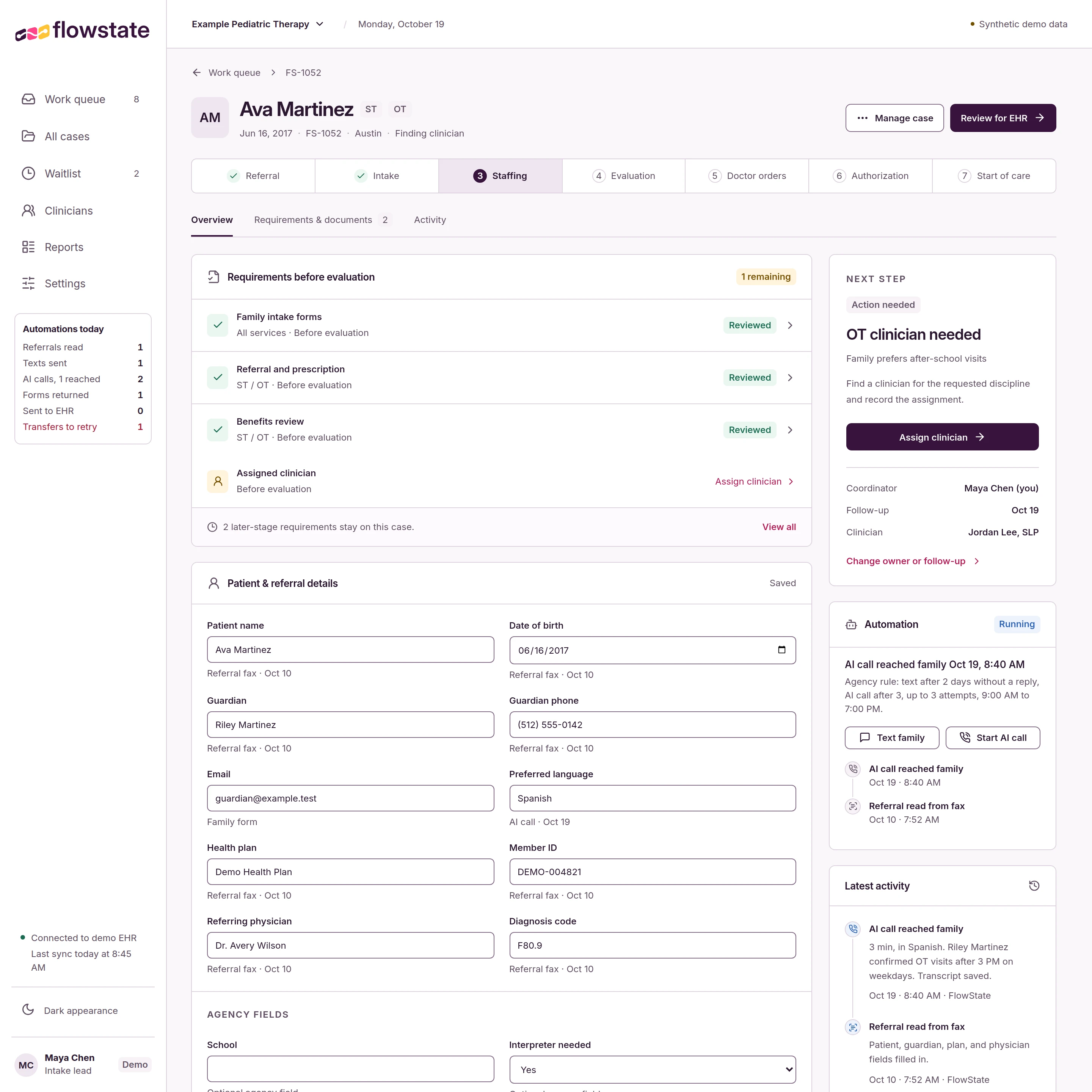
Forms, documents, and each case’s next step stay together. Your team can see what FlowState has handled and where their attention is needed.
Explore the full work queueThe work queue puts overdue follow-ups first. Open a case to see the staff action, coordinator, and follow-up date.
View full workspace
Review family forms, referral documents, and benefits requirements in the case. Your team approves the handoff into the EHR.
View full workspace
Let’s look at how this could work for your intake team.
Talk to our teamThe referral journey
Keep the documents, owner, and time in stage with each referral as it moves through intake and into care.
Explore each stage to see what FlowState coordinates and what your team reviews.
Bring the referral, contact details, and documents together. Fax and PDF extraction populates the case fields.
Review the captured information, correct fields, and assign the case owner.
Send forms and follow up by text or AI-assisted call. Returned forms stay with the case for staff review.
Handle questions, review returned information, and follow up personally when a family needs help.
Matching uses discipline, service area, family time windows, and published clinician availability.
Confirm the assignment and keep clinician availability current.
Staff approve the case after intake is complete, a clinician is assigned, and the health plan’s pre-evaluation requirements are met. The approved case moves into your EHR.
Approve the handoff. The clinician records the evaluation and plan of care in your EHR.
Keep the plan of care and signed orders with the case. Physician outreach requests signatures, tracks replies, and follows up on outstanding orders.
Review returned orders and resolve changes or questions with the physician’s office.
Each case carries a checklist based on its health plan, service, and order content. Submission and status tracking keep the case up to date through authorization.
Maintain your agency’s rules, review the required items, and handle payer questions.
The first completed treatment visit after authorization marks start of care. The case timeline shows how long the referral spent at each stage.
Use time in stage and case counts to decide where intake needs attention.
Getting started
We scope the rollout around your workflow and EHR access. Your EHR stays the clinical record.
Discuss your intake processWalk through your referrals, family follow-up, and the steps your team reviews.
Start with shared case records, family forms, text reminders, and AI-assisted calls. Referral extraction follows.
Set up your EHR connection during onboarding, wherever agency access allows. Staff review and approve what moves into the clinical record.
Planned automation includes clinician matching, scheduling calls, eligibility and benefit checks, physician signature follow-up, and payer submissions. Staffing and payer coordination are staff-led in the initial rollout.
A few practical questions
Our team will reply by email. We’ll learn about your intake process, walk through the relevant FlowState screens, and discuss the setup for your agency.
Your team reviews returned information and documents, confirms clinician assignments, and approves the handoff into the EHR. Staff can correct case fields and handle questions that need a personal follow-up.
Messages, calls, and portal pages use your agency’s name and identity. Families receive a link to their forms. AI-assisted calls identify the agency and the automated assistant, and families can choose staff follow-up.
Case records track days from referral to EHR approval and referrals handled per intake staff member per week. Both are compared with your agency’s referral history from before FlowState.
Let’s talk about your intake
Tell us about your intake process. We’ll show you how FlowState could support your team.
Our team will reply by email to start the conversation.
hello@flowstate.healthcare